
517 collage templates in 25 categories
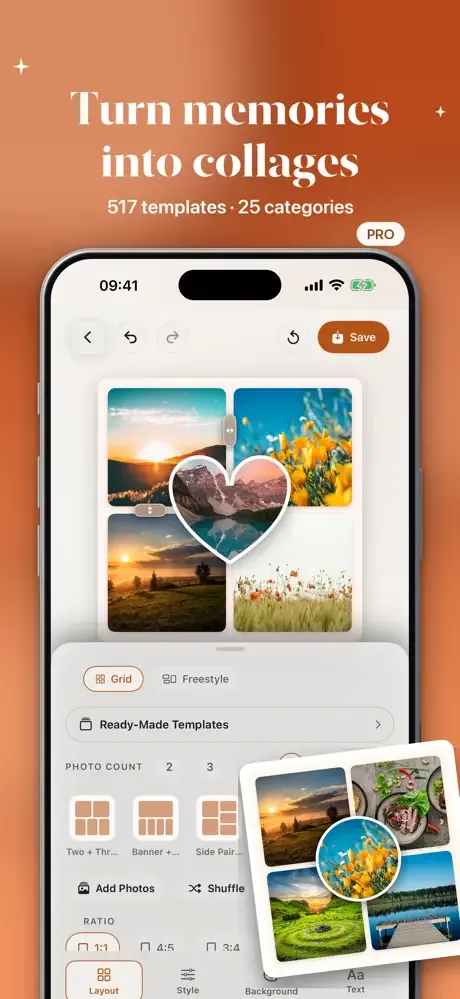
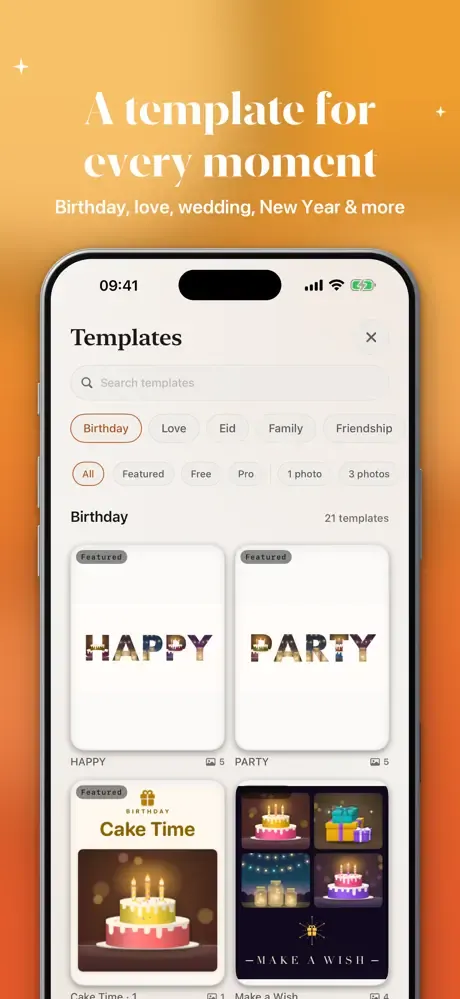
Veduta has 517 templates in 25 categories: Birthday, Love, Anniversary, Wedding, Henna & Engagement, Family, Friendship, Baby, Mother's Day, Father's Day, Graduation, School, Travel, Summer Vacation, Eid, New Year, Year in Review, Winter, Spring, Autumn, Sports, Vision Board, Photo Dump, Before & After and booth strips.
Every design is original artwork. 200 templates are free; the rest come with Veduta Pro. Pick a birthday collage, an anniversary gift or a year in review, and drop in your photos.
Photo-booth strips, film strips and more than a grid
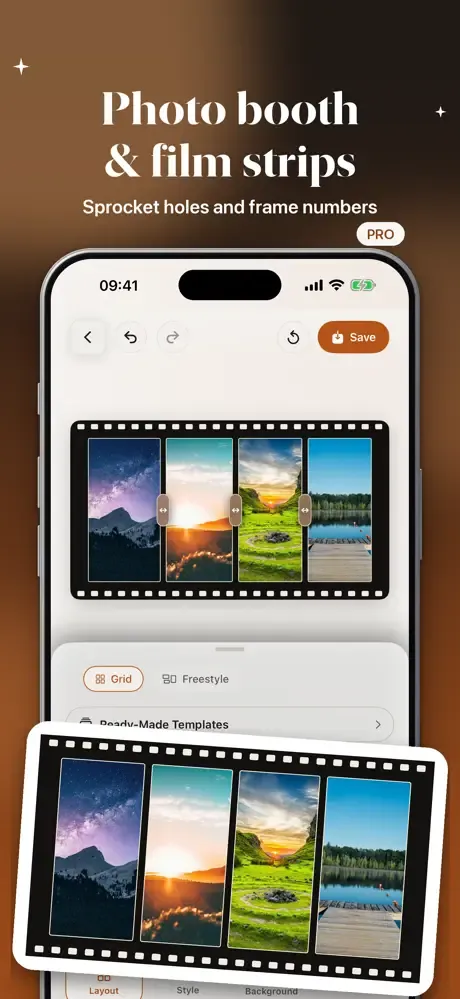
Make photo-booth strips, double strips and a booth-curtain look, or a film-strip frame with sprocket holes and frame numbers. Ready layouts include before/after, then/now, this-or-that, 1·2·3 steps, contact sheet, Top 9, Best 6, four seasons, magazine cover and title card.
Scrapbook-style album pages with tape are included too.
1 to 16 photos, with focus cells and dividers
Use 1 to 16 photos in a collage, including 12- and 16-photo grids. An overlapping heart or circle focus cell and diagonal and wave dividers let you build layouts that go beyond a plain grid.
Freestyle mode and custom styling
Freestyle mode lets you drag, rotate and layer photos by hand. Set the background, borders and corner radius, add text and stickers, and use the story-safe guide when you work in 9:16.
Spell a name with your photos
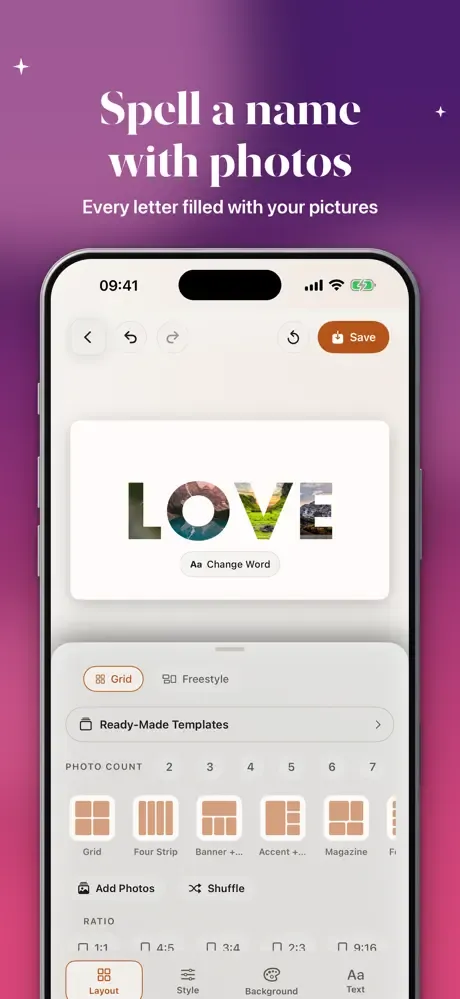
Type a name or a word, like LOVE, MOM or your baby's name, and every letter fills with your own pictures. One image that says it all, made in minutes, for a birthday, an anniversary or a baby album.
Seamless carousel
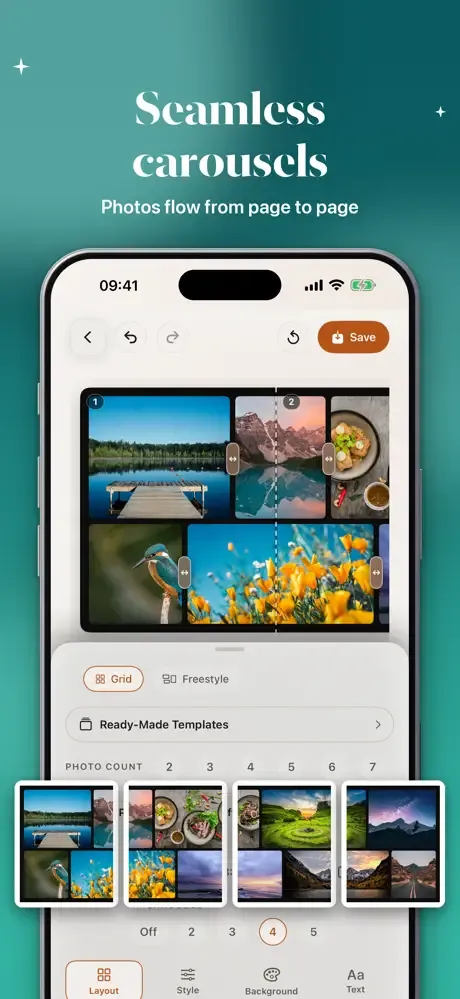
Build a 2 to 5 page carousel in 4:5 or 1:1. Photos flow across the page edges, and each page is saved as its own image, in order, ready for a multi-image post on social media.
A full photo editor with 23 tools
Free tools: filters, adjust, heal, red-eye fix, effects, blur, censor, frame, canvas sizes for social posts, text, draw, perspective correction, lens correction and crop with custom ratios like 21:9 and 0.1° straightening.
There are 56 filter looks, with a set included free; some effects and frame styles are Pro. Compare before and after while you edit, and your drafts are kept automatically.
Pro tools: cutout, masks, curves and batch editing
Pro tools: cutout, masks, curves, HSL color, double exposure, split toning, black & white, color replace and smoothing.
Also in Pro: subject blur, text behind subject, where your words sit behind the person in the photo, and batch editing.
Export in Full HD or watermark-free 4K
Free exports are Full HD with a watermark. Veduta Pro exports in 4K at full resolution, with no watermark.
Editing happens on your device, with no account and no sign-in. Veduta never uploads your photos to any server. No ads, no tracking.
Free version and Veduta Pro
Veduta is free to download. The free version includes 200 templates, the free editing tools and Full HD export with a watermark.
Veduta Pro is an auto-renewing subscription, billed monthly or yearly. It unlocks every template, all filter looks, the Pro tools and watermark-free 4K export. You can manage or cancel it anytime in your Apple Account settings.
Frequently asked questions
How do I make a photo collage on iPhone?
Pick one of 517 templates in 25 categories and add 1 to 16 photos. You can set the background, borders and corner radius, add text and stickers, or switch to freestyle mode to drag, rotate and layer photos by hand.
How do I spell a name with photos?
Type a name or a word, like LOVE or your baby's name, and every letter fills with your own pictures. It makes a personal gift for a birthday, an anniversary or a baby album.
Can I make photo-booth strips?
Yes. Veduta includes photo-booth strips, double strips and a booth-curtain look, plus a film-strip frame with sprocket holes and frame numbers.
How does the seamless carousel work?
Choose 2 to 5 pages in 4:5 or 1:1. Photos flow across the page edges, and each page is saved as its own image, in order, ready for a multi-image post.
Is Veduta free?
Veduta is free to download. The free version includes 200 templates and the free editing tools, and exports Full HD with a watermark. Veduta Pro is a monthly or yearly subscription.
How do I remove the watermark?
Free exports are Full HD with a watermark. Veduta Pro exports in 4K at full resolution, with no watermark.
Does Veduta work on iPad?
Yes. Veduta runs on iPhone and iPad and requires iOS 18 or later.
Are my photos uploaded to a server?
No. Editing happens on your device, with no account and no sign-in. Veduta never uploads your photos to any server.
How do I cancel Veduta Pro?
Manage or cancel your subscription anytime in your Apple Account settings. It renews automatically unless auto-renew is turned off at least 24 hours before the end of the current period.